


8K Camera Dual Mode Drone: What to Know Before Flying
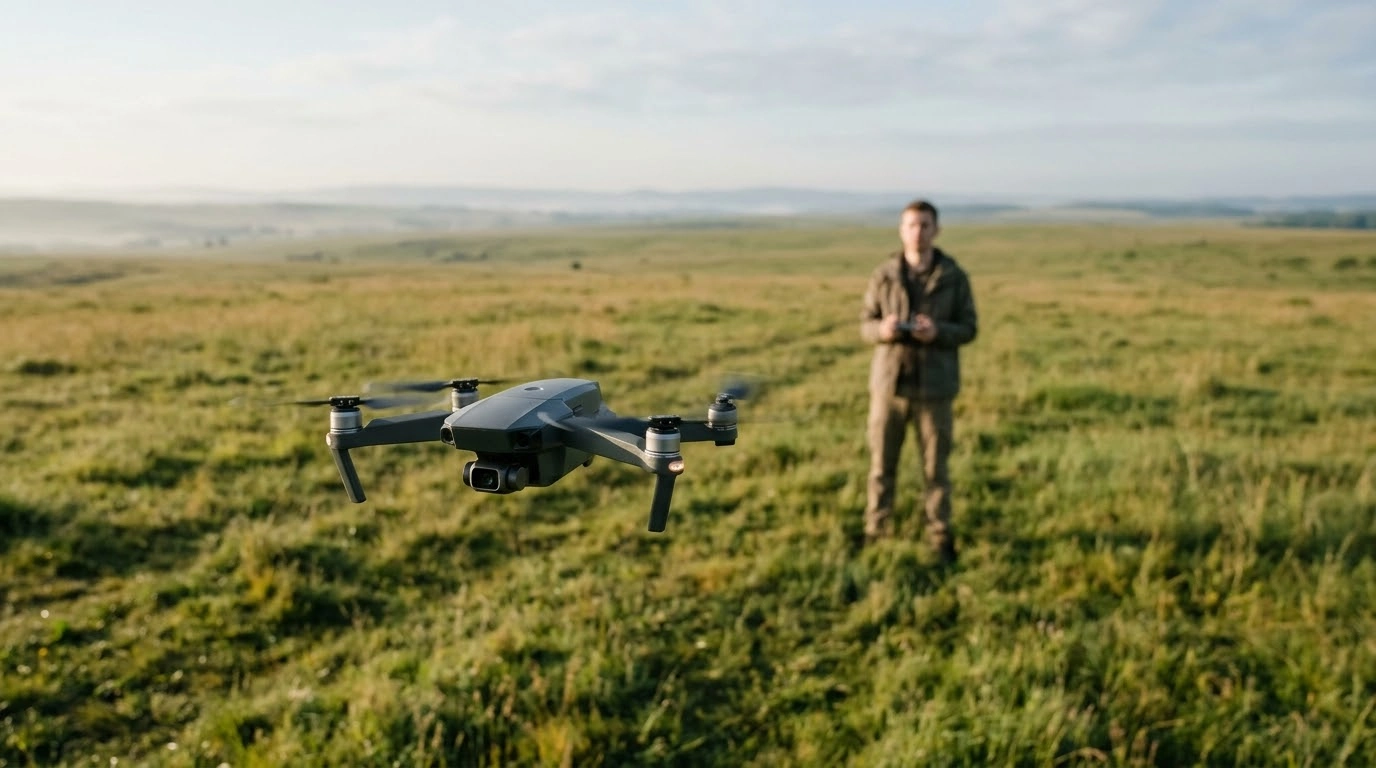
A compact camera drone can open up a new perspective on familiar places, from a quiet park to a scenic landscape. The best choice depends on more than a resolution label, though. Before you take off, it helps to understand the camera specifications, prepare your equipment, and know where you can fly responsibly.
Meet the 8K Camera Dual Mode Mini Drone
Our 8K Camera Dual Mode Mini Drone is an option for shoppers interested in a compact camera drone. Its name highlights camera resolution and dual-mode functionality, but those terms deserve a closer look before you decide whether it suits your plans.
Consider what you want to capture and how comfortable you are learning a new set of controls. If you are new to flying, allow time to practice handling the drone before concentrating on photography. Visit the product page for the current price, availability, and specifications.
Understanding Camera and Mode Labels
Resolution describes the amount of detail in an image, but it is only one part of the picture. The sensor, lens, lighting, and recording settings can all affect how your photos or video look. A high resolution label alone does not guarantee sharp footage, particularly in dim light or during fast movement.
It is also important to distinguish dual mode from dual camera. A dual-camera setup can offer two viewpoints, depending on the drone and its configuration. “Dual mode” may describe operating functions rather than cameras. Confirm the configuration and mode functions for this model before you buy.
Camera Drone Terms to Check
| Term | What to look for |
|---|---|
| 8K camera | Confirm whether the stated resolution applies to photos, video, or both. |
| Dual mode | Check which operating modes are included and how they differ. |
| Dual camera | Check whether two cameras are included and what viewpoints they provide. |
Look for the actual recording resolutions and available settings, rather than relying on the product name alone. If video is your priority, make sure the listed video specifications match your expectations; a photo resolution does not necessarily describe video quality.
Prepare for a Smooth First Flight
Start by reading the instructions for the drone and its controls. Charge the required equipment, then inspect the drone for damage and make sure its components are secure. Follow the manufacturer’s setup and preflight instructions, including any calibration steps that apply.
Choose an open area away from people, vehicles, trees, power lines, and other obstacles. Practice taking off, hovering, turning, and landing at a low altitude before trying more elaborate movements. Give yourself room to correct a mistake, and land if you feel unsure about the controls.
Check the weather as well as the location. Wind can make a small drone harder to control, and poor visibility can make it difficult to keep track of the aircraft. Wait for calmer, clearer conditions if the forecast or local surroundings make a flight questionable.
In the United States, review the FAA’s guidance for recreational flyers and use its airspace guidance before flying. Rules and restrictions can vary by location and type of operation, so check the requirements that apply to your planned flight.
Get More from Your Aerial Shots
Good natural light gives you a useful starting point. Try a simple composition with a clear subject, and avoid pointing directly into strong sunlight if glare makes the scene difficult to see. Keep movements slow and steady to help with framing and reduce abrupt changes in your footage.
Plan a short flight path before takeoff rather than improvising around obstacles. Keep the drone within sight, pay attention to your surroundings, and leave enough time to return and land safely. Your view of the scene on a screen should not replace watching the drone and the space around it.
After landing, review your images and note what you would change. A different angle, a slower movement, or an available camera setting may improve your next attempt. Make one adjustment at a time so you can see which changes help.
Before You Order
Compare the specifications with your intended use and experience level. Look at the included accessories, compatible controls, and any requirements for recording, storing, or transferring footage. Knowing what is included can help you prepare for your first flight and avoid discovering a missing requirement later.
Our team recommends reviewing the drone product page for current details before placing your order. If you are also browsing for your home, you can explore our elegant Art Deco-inspired crystal branch chandelier for the dining room separately.
Before choosing, compare the product details with your daily routine, available space, care needs, and preferred setup. The strongest option is usually the one that fits the intended use clearly and remains simple to clean, store, and check before repeat use.
FAQ
What does a dual camera do?
A dual-camera setup can provide two viewpoints, depending on the drone and how its cameras are configured. Confirm whether a particular model includes two cameras before ordering.
What should I check before buying a camera drone?
Check the camera and recording specifications, included accessories, compatible controls, and any requirements for transferring footage. Also review the flight rules that apply where you plan to fly.












Leave a comment